Recommendations6 min read
What product recommendations actually do for an online store
By the BasketBooster team
The short answer
Product recommendations show each shopper the items other customers bought alongside the one they are looking at. Baskets get bigger without a discount, people come across products they would never have searched for, and a product page or an empty cart stops being a dead end. They work best in a store with a varied catalog and some order history.
Most small stores leak money in the same place. The ad works, the visitor lands on a product, buys it and leaves. The memory card that nearly everyone else buys with that camera never appeared on the screen, so it stayed in the warehouse.
Product recommendations exist to fix that one moment. They are the rows titled “Frequently bought together” or “Customers who bought this also bought” that you have seen on every large store. A small or mid-size store can now get the same thing with an app install, and it is worth knowing what you get for it and what you don’t.
Bigger baskets without a discount
The usual way to raise average order value is to pay for it: free shipping over a threshold, a bundle price, money off the second item. All of these work, and all of them come out of your margin.
A recommendation costs you nothing per order. Someone is looking at a pour-over brewer and sees the beans and the mug that other customers put in the same order. Some of them add the beans. You sold the beans at full price to a person who was already on the way to checkout.
Across stores running BasketBooster, average order value is up 18%. Your result depends on your catalog and your traffic, so treat that as a reference point and measure your own.
Shoppers find products they never searched for
Search only helps people who know what to type. A shopper buying their first tent does not know they need a footprint, and they will not search for a word they have never heard. A recommendation under the tent does that job.
You have products that sell well once people see them and almost never get seen, because they sit three clicks deep in a category nobody opens. “Also bought” rows pull them onto pages that do get traffic.
There is a second effect that is easy to miss. A product page with nothing under it gives the visitor two options, buy or leave. An empty cart page gives them one. Put relevant products there and some of those visitors keep browsing. You paid to bring each of them in, so every extra page they open is a little more return on money already spent.
Where each widget earns its place
Recommendation widgets are not interchangeable. Each one answers a different question, and it only works on the page where the shopper is asking that question.
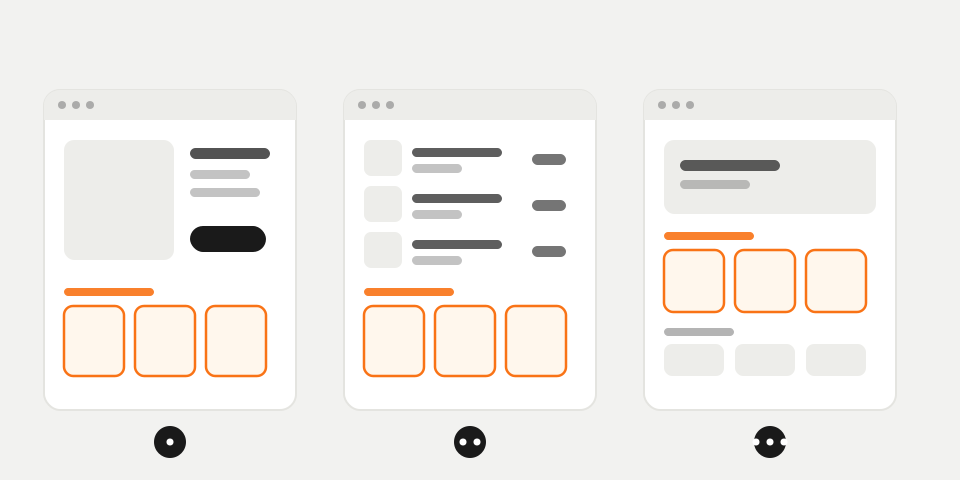
| Place in the store | Widget | What the shopper is thinking |
|---|---|---|
| Product page | “Frequently bought together” and “also bought” | What else do I need with this? |
| Cart | Cart-aware add-on | Am I forgetting something? |
| Home page and collections | Personalised picks | What is here for me? |
| Empty cart | Personalised picks | Where do I go now? |
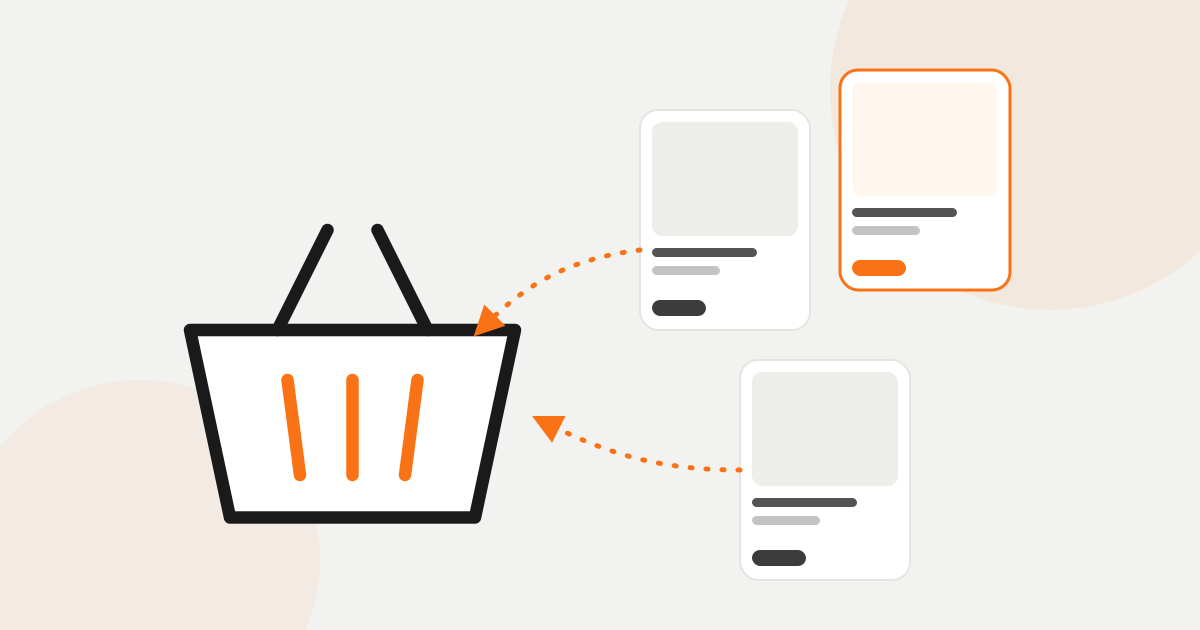
If you only set up one, start with the product page. Most visitors from ads and Google land there, and it is where a companion item makes obvious sense. The cart comes second. The cart-aware widget reads everything in the basket, so its suggestion fits the whole order, and it shows up when the shopper has already decided to buy.
The home page matters most for returning customers. A regular who sees the same grid as a first-time visitor has to start from zero on every visit. Picks based on their own history save them the digging.
Why order history beats hand-picked lists
You can do all of this by hand, and many stores do. Someone picks four “related products” for each item, or the theme matches products that share a tag. Both break down in predictable ways.
- Tag matching puts a second camera under the camera. The shopper wanted a memory card.
- Hand-picked lists go stale. The product you linked goes out of stock or out of season, and nobody goes back through the whole catalog to fix it.
- Your guess about what goes together is often wrong. Customers combine products in ways you would not have paired.
Recommendations built from order history skip the guessing. They show what your customers put in the same order, and they update as new orders come in. With BasketBooster you still have the final say: pin a product you want to push, hide clearance items, or boost a brand or a category, and the rule applies as soon as you set it.
What to measure
A widget that looks nice proves nothing. Three numbers tell you whether it is paying for itself.
- Attributed revenue, meaning sales of products a shopper clicked in a recommendation and then bought. Compare it with what the tool costs you.
- Average order value for orders that included a recommended product, next to orders that did not. Give it a few weeks before you read anything into the difference.
- Click-through rate for each widget. A widget that is seen a lot and rarely clicked is in the wrong spot or showing the wrong thing, so move it or change it.
One caution about the second number. People who click recommendations may be your keener buyers anyway, so the gap between the two groups flatters the widget a little. It is still worth watching, mainly for the trend.
When recommendations do not help much
A store with one product has nothing to recommend. The same goes for a store with a handful of items that all fit on one screen, because the shopper can already see everything.
Very little order history is the other limit. “Bought together” pairs come from orders, so a store that opened last month will mostly see bestsellers and trending products in its widgets. That is useful, but it is not personal yet. It improves as orders arrive, and if you have past orders in another system you can upload them as a CSV for a head start. A few hundred orders is enough for simple pairings to show up.
Recommendations also will not rescue a store with a different problem. If the traffic is wrong or the prices are off, a row of suggestions under the product changes little.
How to try it
The cheapest way to find out is to run it on your own store for a month. BasketBooster has a 30-day free trial with no credit card. On Shopify you install an app, on WooCommerce a plugin, and anywhere else you paste one line of code into your template. The plugins page lists the options. The widgets pick up your fonts, colours and buttons, so they look like part of the theme.
Put “Frequently bought together” on the product page and the cart-aware widget in the cart, then leave them alone for a few weeks and read the three numbers above. The recommendations page shows how each widget looks, and all four are included in every plan on the pricing page. On the top plan the same order data also feeds customer intelligence, which flags the customers who are drifting away.
Questions merchants ask
- How many orders do I need before recommendations work?
- Bestsellers and trending products work from the first day. “Bought together” pairs appear once your order history shows them, and a few hundred orders is enough for simple pairings. You can speed this up by uploading a CSV of past orders.
- Will the widgets look out of place in my theme?
- They inherit your fonts, colours and button styles, so they read as part of the store. On Shopify you choose where they go inside the app. On other platforms you place the embed line in your template.
- Can I control what gets recommended?
- Yes. You can pin products you want on top, hide ones you do not want shown, such as clearance, and boost a brand or a whole category. Rules apply the moment you set them.
- Do recommendations replace discounts and bundles?
- No, they do a different job. A recommendation sells the companion product at full price by showing it at the right moment, while a discount pays the shopper to add it. Many stores keep their promotions and find they lean on them less.
TagsAverage order valueConversionCross-sell
See it on your own store
Every plan starts with a 30-day free trial. You don’t need a credit card.