They typed “snekers”. Sell them sneakers.
BasketBooster adds two kinds of search to your store: text search that forgives typos, understands whole sentences and speaks your customers’ synonyms, and photo search that finds the thing a shopper saw somewhere but can’t name.
14 days free · No credit card · Works with WooCommerce & custom stores
Two searches, one widget.
The same install powers both. Here is what each one looks like to a shopper.
“snekers” still finds sneakers
Misspellings, plurals and half-typed words all land on the right products. No dead ends, no empty results page.
Showing results for sneakers
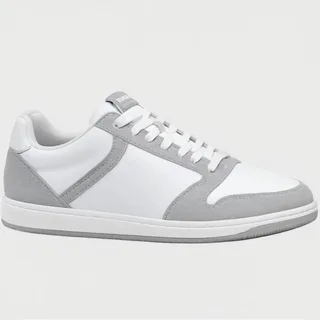 Runner Low
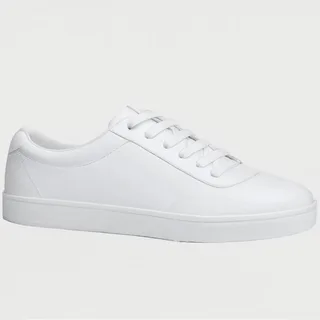 Court Classic
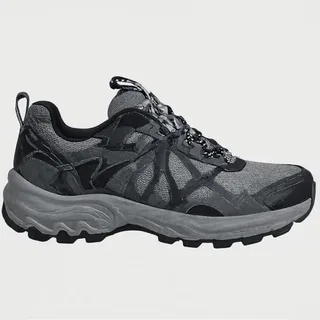 Trail Runner
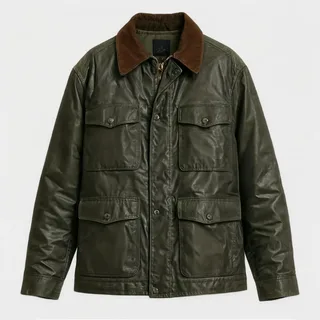
They saw it somewhere, now they can find it
Shoppers upload or snap a photo and get the closest matches from your catalog, ranked by shape, colour and style.
wardrobe-snap.jpg
Finding visual matches…
Field Jacket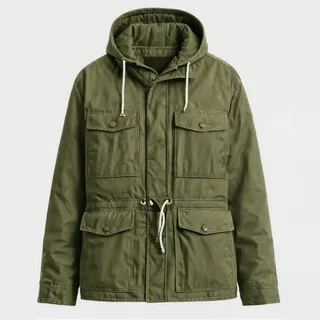 Utility Parka
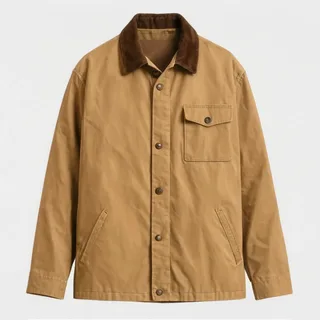 Canvas Coat
From query to product, even a bad query.
Your catalog gets indexed
The widget indexes your products when you install it and keeps the index fresh as the catalog changes. Search is live within a minute or two, even on a catalog of fifty thousand items.
The query gets understood
Misspellings, plurals and half-typed words resolve to the right products. Turn on AI search and whole sentences work too: it matches what the shopper means, so “flower holder” finds vases.
Photos become queries
A shopper uploads or snaps a photo and gets the closest matches from your catalog, ranked by shape, colour and style. The photo is analysed on the fly and never stored.
Everywhere a shopper goes looking.
Search is one widget, but it earns its keep in several places at once.
The search bar
Run it as a dropdown on your existing search bar, a full results page, or just a camera icon added to the box you already have. Results appear while the shopper is still typing.
The empty results page
The most expensive page in your store. With typo tolerance, most visits to it simply stop happening.
The camera button on mobile
On phones, photo search opens straight into the camera. Snap a jacket on the street, find yours like it.
The Monday digest
Searches that found nothing are logged and land in your weekly email, so missing products become a purchasing list.
Search users are buyers.
Intent peaks in the search box
A shopper who types knows what they want. A failed search at that moment sends the sale to a bigger store with better search.
No dead ends
An empty results page usually ends the visit. Correcting “snekers” to sneakers keeps the shopper inside your catalog.
It understands what they mean
With AI search on, the query is matched by meaning rather than by exact words. A shopper can type a whole sentence in their own words and still land on the right products. It runs on your own OpenAI key, and you decide how much weight it carries.
Your customers’ words, not your catalog’s
Your catalog says “wellies”, your customers type “rain boots”. Add synonym lists in the dashboard, one-way or two-way, and they apply on the very next search, with no reindexing.
Photos sell what words can’t
Style, cut, a particular shade of green: shoppers can’t always type what they’re after. A photo carries all of it at once.
It stays in your store
Matches come only from your own catalog. The widget never points shoppers anywhere else.
The same line of code as everything else.
If BasketBooster is already installed, search is a toggle in the dashboard. If not, paste the one-line embed. Search comes with the Growth plan and up; AI search runs on your own OpenAI key and switches on from the dashboard whenever you’re ready. On Shopify, the app ships recommendations first; search hasn’t arrived there yet.
The widget embed guide and the /v1/search API live in the developer docs →
Search, answered.
Stop losing sales to a typo.
Live in minutes. 14-day free trial, no credit card.