Basics6 min read
What BasketBooster costs and how to tell if it pays for itself
By the BasketBooster team
The short answer
BasketBooster plans start from €19 a month excluding VAT, with a 30-day free trial and no credit card. To see whether it pays for itself, divide the monthly price by the profit you make on one extra item. That gives the number of extra items you need to sell each month. During the trial the dashboard shows which sales came from recommendations, so you decide with your own numbers.
When the owner of a small store hears “recommendations”, “smart search” or “demand forecasting”, two thoughts usually follow: that is for the big players, and it must be expensive. A more useful question is how many extra sales a month you need to get the subscription back.
You can answer it with one division and numbers you already have. Below it is done with example numbers, and then you can redo it with yours.
What does BasketBooster cost?
Plans start from €19 a month. Prices are in euro and exclude VAT. Every plan starts with a 30-day free trial for which you do not enter a card. After that you pay month by month and can cancel whenever you like. The pricing page has the full list of plans and what each one includes.
The lowest plan, Starter, covers recommendations: “Frequently bought together”, “Customers also bought”, a cart-aware add-on and personalised picks. Search and forecasting come with the next plan, and customer intelligence and Email Flows with the top one. The sum below uses €19 because that is where most small stores would start. If you are looking at a higher plan, put its price in.
How many extra sales does it take to break even?
Count profit here, not turnover. If you sell a phone case for €15 that cost you €10, you made €5 on it.
Let’s say you make €5 on an accessory that a customer adds to an order. 19 divided by 5 is 3.8, so four extra accessories a month cover the plan. The numbers in the table are made up for the example. Swap in your own.
| Profit on one extra item (example) | The sum | Extra items needed per month |
|---|---|---|
| €2 | 19 ÷ 2 = 9.5 | 10 |
| €5 | 19 ÷ 5 = 3.8 | 4 |
| €10 | 19 ÷ 10 = 1.9 | 2 |
Whether four is a small number depends on the store. At 300 orders a month it is one add-on in every 75 orders. At 20 orders a month it is one in every five, and that is a lot to ask. So run it against your own order count before you decide the price is small change.
Where do the extra sales come from?
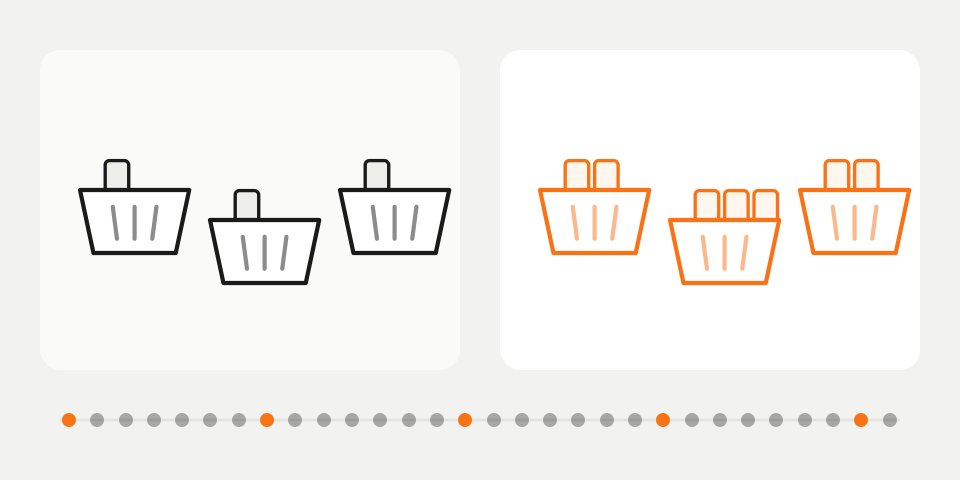
The shortest route is one more item in the basket. A shopper looks at a product and sees underneath it what other people bought with it. Some of them add it, at full price. Recommendations are included in every plan.
The second is a sale that would otherwise die on a “No results” page. Someone misspells the product name, or uses a different word from the one in your catalog, and leaves even though you have the item in stock. Search that copes with typos is on the Growth plan.
The third is in the stockroom. Forecasting warns you before your best seller runs out, and it shows which stock is sitting so your money is not frozen in it. That is on Growth as well.
The fourth is a regular customer you bring back before they are gone. Customer intelligence shows who is starting to drift away, and Email Flows sends them an email for you. Both are on the Scale plan.
On Shopify the app covers recommendations and forecasting today. Search and customer intelligence run on WooCommerce and custom stores, and Email Flows on WooCommerce, OpenCart and custom stores.
Across stores running BasketBooster, average order value is up 18%. Your result depends on your catalog and your traffic, so read that as a reference point and not as a promise. The overview of the five tools goes through what each of them is for.
How do I check this for my own store in 30 days?
You do not have to believe our number, or the example above. You have 30 days in which you pay nothing, and a dashboard that shows which sales went through a recommendation.
- Before you switch the widgets on, write down your average order value and your number of orders for the last month.
- Put recommendations on the product page and in the cart, then leave them alone for at least two or three weeks.
- Open the dashboard, see which sales came through a recommendation, and work out the profit on them.
- Compare average order value for orders that included a recommended product with orders that did not.
- Divide the price of the plan by your profit on one extra item and see whether you sold more than that number.
People who click recommendations often buy more anyway, so the gap between the two groups looks a little better than the truth. Read it together with the sales the dashboard attributes to recommendations.
If the sum does not work out at the end, you do not pick a plan. The trial ends by itself, the recommendations stop showing, and you have paid nothing.
What if I do it by hand, or do nothing?
You can do it by hand. You pick “related products” for every item, keep a spreadsheet of what goes with what, and update it whenever something sells out. With 30 products that is an afternoon. With 800 it is a job nobody finishes, and the spreadsheet goes stale as soon as people stop maintaining it. The other route is a developer who builds it for your store, and then you pay for their time and for the upkeep afterwards.
Doing nothing has a price too, although no invoice arrives for it. Every visitor from an ad has already cost you money. If they land on a page with no results, or on a product with nothing under it, that money is spent and nothing came back.
When will it not pay off?
- You have very little traffic, or a handful of orders a month. Four extra sales are then a big share of everything you sell.
- Your catalog is a handful of products. The shopper sees all of them on one screen, and there is nothing left to recommend.
- Your margins are so thin that an extra item earns almost nothing. Divide 19 by that profit and you get a number that is hard to reach.
In those cases, fix the traffic, the range or the prices first. If you cannot tell which case you are in, the trial will show you.
Questions merchants ask
- Am I tied in for a long time?
- Plans are monthly and you can cancel at any time from the dashboard. Cancellation takes effect at the end of the period you have paid for, and a month that has already started is not refunded.
- What happens after the 30 days?
- The trial ends by itself. If you do not pick a paid plan, the recommendations stop showing until you do. You never entered a card, so nothing is charged without you knowing.
- Do I pay more if I sell more?
- Each plan has a monthly price, and the plans differ by the number of products and the number of widget views per month. If you outgrow your plan, we tell you before anything is limited. The exact limits for each plan are on the pricing page.
- What if I see no result?
- Then you walk away without paying anything. The dashboard shows which sales came from recommendations, so you can judge by the numbers before the trial ends.
TagsCost and returnAverage order valueExplained simply
See it on your own store
Every plan starts with a 30-day free trial. You don’t need a credit card.