Customers6 min read
Customer churn in ecommerce: spotting it while you can act
By the BasketBooster team
The short answer
Customer churn in an online store is a buyer quietly stopping their orders. Nobody cancels, so you have to infer it. The most reliable sign is the gap since the last order growing well past that customer’s own usual gap between orders. Smaller baskets and unopened emails tend to show up around the same time.
In a subscription business, churn is an event. Someone clicks cancel and it lands in a report with a date on it. A store never gets that. A customer who has left you looks exactly like a customer who is between orders, and for a while the two are the same person.
So in a store, churn is always a guess. You can only be sure a customer has stopped for good years later, when knowing it is worth nothing.
That is why tools talk about churn risk: an estimate of how likely it is that the last order really was the last. It is good for sorting a customer list by who needs attention first.
Why “no order in 90 days” is the wrong rule
Most stores that track churn at all start with a fixed cutoff: no order in 90 days means lapsed. It is quick to set up and wrong for most customers, in both directions.
Take someone who buys coffee from you every month. At six weeks they are already late. By day 90 they have been buying somewhere else for two months, and your rule has only just noticed. Now take someone who bought a mattress. A year of silence from them is normal. The 90-day rule calls them lapsed anyway and mails them a discount on something they will not buy.
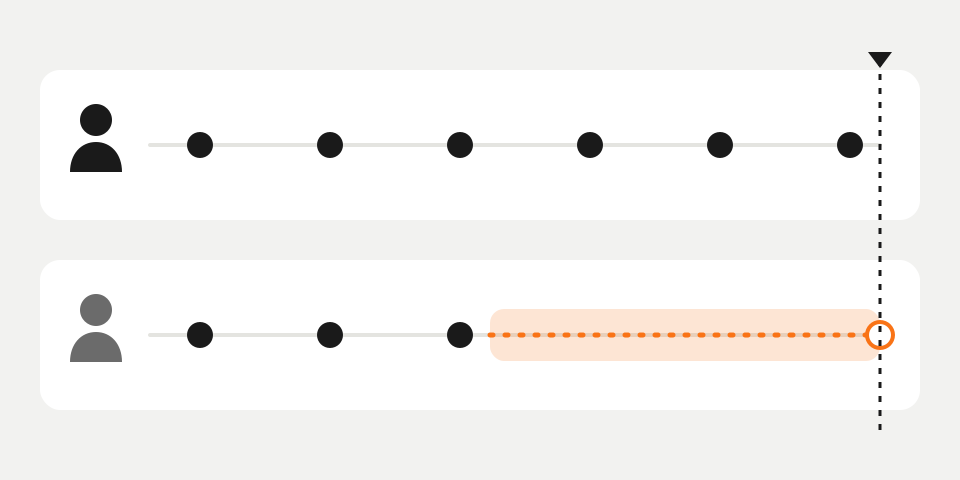
The better yardstick is each customer’s own rhythm. If someone usually orders every 30 days and it has been 45, pay attention. If someone usually orders every five months and it has been 45 days, nothing has happened. This is how BasketBooster’s customer intelligence works out churn risk: it compares the current pause with that customer’s usual gap between orders.
The early signs, and who is showing them
The signals are weak and tend to arrive together.
- The gap since the last order has passed the customer’s usual gap and keeps growing. This is the strongest sign, and the only one you can read from order data alone.
- Baskets get smaller. Someone who used to order four products now orders only the one they cannot find elsewhere.
- Emails go unopened. On its own this means little, since plenty of loyal customers never open a newsletter. Next to a late order it counts.
Customers with a single order have no rhythm yet, so there is nothing for them to be late against. With them, the thing to find out is whether a second order comes at all.
Four groups worth telling apart
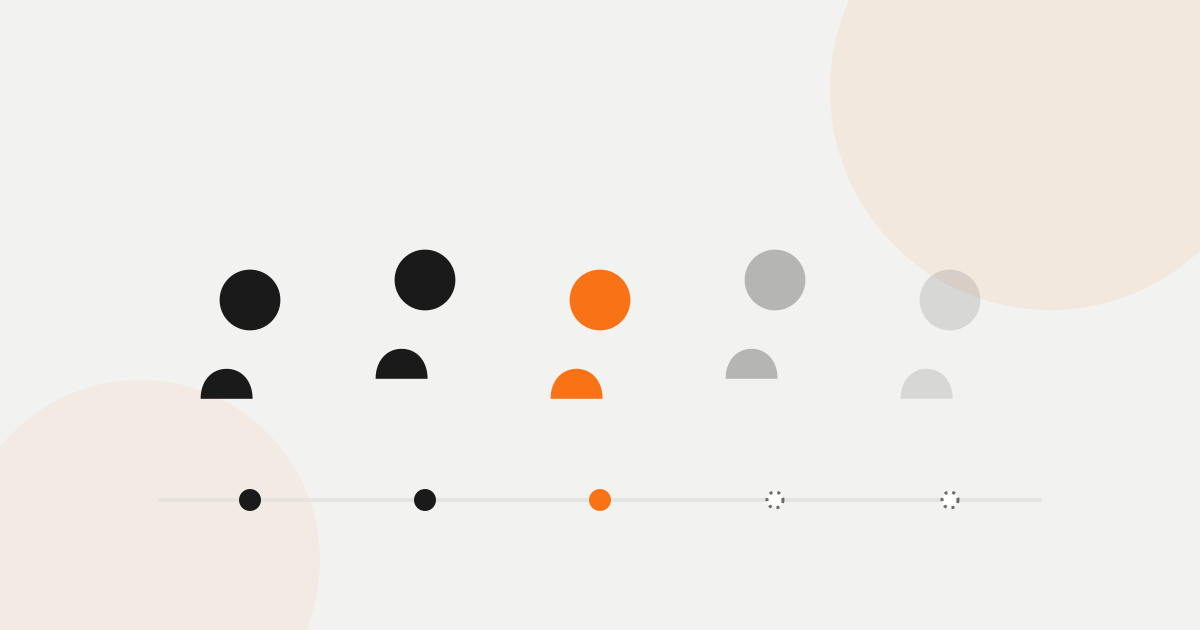
BasketBooster uses seven segments, following the standard RFM approach (how recently, how often, how much). For everyday decisions, four are enough.
| Group | Who they are | What to do |
|---|---|---|
| New | One order, no rhythm yet | Work on the second order |
| Loyal | Order regularly and on time | Keep them supplied and skip the discounts |
| At risk | Used to order regularly, now overdue | Write to them now, while they still remember you |
| Lapsed | Silent for several of their usual gaps | One more try, then stop spending on them |
Most of the recoverable revenue sits in the at-risk group. These people liked you enough to come back more than once, and they have not been gone long.
Why win-back usually beats another ad
A new customer has to be found, usually through paid ads, then persuaded to trust a store they have never heard of, then persuaded to buy. You pay for every step.
A past customer has been through all of that. They know what your packaging looks like and whether the courier showed up on time. Reaching them costs one email, plus a discount if you choose to add one. How much cheaper that is depends on your margins and ad costs, but the direction holds for almost every store.
What to do about it
Send the win-back message when the customer becomes late, whatever the calendar says. For the monthly coffee buyer that is around week six. A message that arrives then reads like good service. The same message three months later reads like a store that has only just noticed.
Remind people to restock when a product they buy on a regular cycle is due. They are about to run out, so you are doing them a favour. In BasketBooster a product that is due can trigger the reminder, through your own email tool or through Email Flows, which sends from your domain via your own Resend or Brevo account.
And do not discount people who would have ordered anyway. A loyal customer three days before their usual order does not need 10% off, and if you send it, you teach them to wait for it next time. Start with a plain reminder. Add a code only if a few days pass with no order. In a flow that is a wait followed by a condition, and the customer leaves the flow the moment they order.
How to measure it
- Repeat purchase rate. Of the customers who ordered once, what share ordered again. If it is low, your problem is the second order, and win-back campaigns will not fix that.
- Share of customers at risk. How much of your base is overdue right now. Look at it in money too, since a few big spenders at risk matter more than many one-time sale buyers.
- Customers won back. Of the people you wrote to, how many ordered again. Compare them with similar customers you did not write to, or you will take credit for orders that were coming anyway.
Check these once a month. Churn moves slowly, and week-to-week changes are mostly noise.
Where this stops working
Prediction based on rhythm needs a rhythm. A store that opened three months ago does not have enough repeat orders for any of this to mean much. Most of its customers have one order, and a “usual gap” built on two purchases is a guess.
Some stores have very little churn to manage. If you sell mattresses, wedding dresses or anything else people buy once, there is no next order to be late for. Your effort pays off better in reviews and in related products shown at the moment of purchase.
Even with years of history, churn risk is a heuristic. It will flag someone who was simply on holiday and miss someone who left after one bad delivery. Guest checkouts with no customer id cannot be followed at all.
How to try it
Customer intelligence is part of the Scale plan and today runs on WooCommerce and custom stores. The Shopify app does not include it yet. On WooCommerce the plugin sends orders with a customer id automatically, and segments and churn risk are recalculated every night. Email Flows, also on Scale, can then send the win-back and restock emails for you.
The free trial is 30 days and needs no credit card. The plans are on the pricing page.
Questions merchants ask
- How many days without an order before a customer counts as churned?
- There is no single number that fits a whole store. Compare the pause with that customer’s own usual gap between orders: a monthly buyer is late at six weeks, while a once-a-year buyer is fine at six months. A fixed cutoff like 90 days is only a rough fallback for customers with too little history.
- Should a win-back email always include a discount?
- No. Start with a plain reminder or a restock nudge and keep the code for customers who are clearly overdue and did not react. Discounting customers who were about to order anyway costs margin and teaches them to wait for the next code.
- My store is new. Can I predict churn already?
- Not in a way you should trust. Churn risk depends on repeat orders, and a young store mostly has customers with a single purchase. Until the history builds up, put your effort into getting the second order.
- Does BasketBooster’s customer intelligence work on my platform?
- Today it runs on WooCommerce and custom stores, and it is part of the Scale plan. The Shopify app covers recommendations and forecasting but does not include the nightly customer analysis yet. It needs orders that carry a customer id, so guest checkouts stay out of it.
See it on your own store
Every plan starts with a 30-day free trial. You don’t need a credit card.