Forecasting6 min read
Demand forecasting for online stores: a plain guide
By the BasketBooster team
The short answer
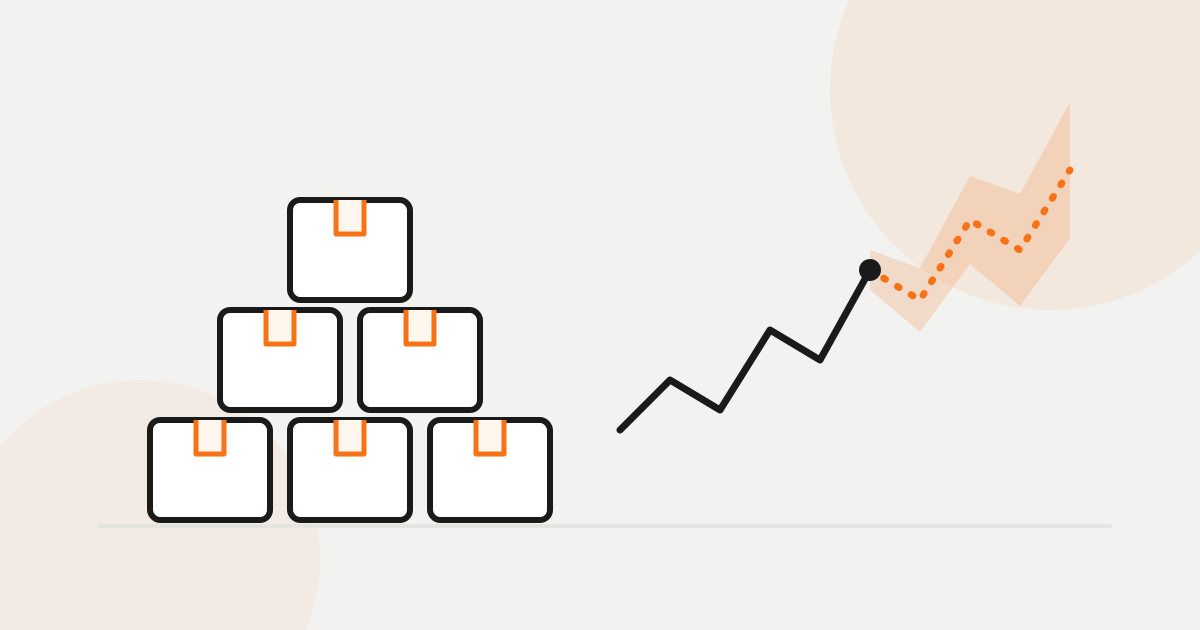
Demand forecasting is an estimate of how many units of each product your store will sell over the coming days and weeks. It is built from your order history and adjusted for things like season, weekday and promotions. Set against your current stock, it shows what will run out, when to reorder, and which products are tying up cash.
What demand forecasting is, and the two mistakes it prevents
A demand forecast is an estimate of how many units of each product you will sell in the coming days and weeks. It works per product and per day. Think of it as a weather forecast for your stockroom.
The number is not much use by itself. Put it next to what is on the shelf and how long your supplier takes to deliver, and it answers the question you already ask every week: will this run out before the next delivery lands?
Stock loses you money in two ways. The first is the product that sells and is not there. You paid for the ad, the customer arrived, and the page said "out of stock". A few people wait. Most buy somewhere else, and that lost sale never shows up in any report.
The second is quieter. You ordered a lot of something, it did not move, and now it sits in boxes. The money you spent on it cannot buy the product that does sell. The two usually turn up in the same month, because the budget that went into the slow item was the budget for the fast one.
Why last month’s sales and gut feeling let you down
Most small stores order by looking at what sold last month and adding a bit. When that fails, it is usually for one of these reasons.
- Seasonality. November is not October. Last month says little about gloves in the first cold week, or about fans in June.
- Weekdays. Plenty of stores sell very differently on a Monday than on a Saturday. A monthly average flattens that.
- Promotions. A week at 20% off inflates the whole month. Order on that figure and you have ordered for a sale that is no longer running.
- Weather, for some categories. Rain gear, heaters, garden furniture, cold drinks. A cold snap moves them more than anything you did in marketing.
- Stockouts that hide demand. If a product was unavailable for ten days, the report shows ten days of zero. Demand was not zero. You could not sell what you did not have.
That last one gets less attention than it should. It is why bestsellers keep selling out: every stockout makes the sales history look weaker, so the next order comes out smaller. Gut feeling fails differently. It is often good for your top ten products and has nothing to say about the other four hundred.
A forecast should be a range
A tool that tells you "you will sell 212 units" is claiming more than anyone can know. An honest forecast gives you an expected number with a low and a high estimate around it.
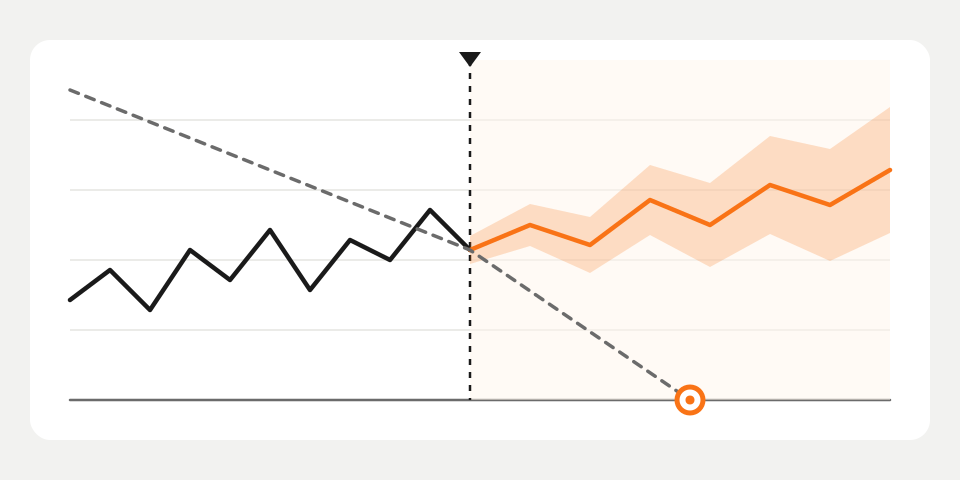
Here is an example. Say a product is forecast at 10 a day, with a low of 7 and a high of 14, and you have 40 in stock. At the expected rate that is 4 days. If the high end comes true, it is under 3. If your supplier needs 5 days, you are late in both cases.
How you use the range depends on the product. For something cheap to store that you hate being out of, order toward the high estimate. For something bulky, perishable or likely to go out of fashion, stay near the expected number or below it. A wide band means the product sells erratically, so keep more buffer.
What you should get out of it
Nobody has time to read charts for 400 products. The forecast is worth having once it turns into a few lists you can act on.
| Output | What it tells you |
|---|---|
| Days of stock left | For each product, how long current stock lasts at the forecast rate |
| Stockout warning | Which products will hit zero before a new delivery could arrive, with a date to order by |
| Reorder list | Product, quantity and order-by date, most urgent first |
| Overstock list | What you hold far more of than you will sell, and a markdown that would clear it |
In BasketBooster’s demand forecasting this runs every night for every product and looks up to 28 days ahead. Besides your own sales it reads the weather at your store’s location and your country’s holiday calendar. The reorder list is built from your real supplier lead time. The markdown suggested for an overstocked product comes from how your customers reacted to your earlier price changes.
What data it needs, and how much
It needs your order history and your current stock levels. The Shopify app and the WooCommerce plugin send both automatically (see plugins). A custom store pushes them through the API, or starts with a CSV of past orders.
A product without a stock number still gets a demand forecast, but no stockout warning and no reorder suggestion, because those depend on knowing what is on the shelf. If your stock counts are sloppy, fix them first. It is dull work and it pays back.
On history: a new store starts on simple statistical forecasts and moves to the machine-learning model after roughly two months of orders. Seasonal products need longer, for an obvious reason. A store that has never been through a December has no December in its data.
How to tell whether to trust it
Do not take anyone’s word for it, ours included. Compare what was forecast with what you sold.
The range makes that easy. If the forecast said 7 to 14 a day and you sold 11, fine. If real sales keep landing outside the band, the forecast is not good enough for that product yet. BasketBooster measures how often reality falls inside the range and puts that number on your dashboard, next to the forecasts.
What no forecast can see
Sales data only knows about things that have already happened in your store.
- Brand-new products. There is no history, so there is no real forecast. Order on judgment for the first weeks and let the numbers take over later.
- Viral spikes. If someone with a large following posts your product on Thursday, nothing in your order history saw it coming. The forecast catches up afterwards.
- Supplier delays. The forecast is about demand. It does not know the container is stuck in a port.
How to try it
Demand forecasting is part of the Growth and Scale plans, and the pricing page has the details. The free trial is 30 days and does not ask for a credit card.
Connect your store, let it read your orders and stock, and check whether the reorder list matches what you would have ordered anyway. The products where it disagrees with you are the ones to look at more closely.
Questions merchants ask
- How much sales history do I need before a forecast is useful?
- A new store starts with simple statistical forecasts and moves to the machine-learning model after roughly two months of orders. Seasonal products get better once the store has been through that season at least once.
- How far ahead does the forecast look?
- Up to 28 days, per product, with a low and a high estimate around every number. It is meant for the reorder decisions of the next few weeks, not as a buying plan for the year.
- Does it work with my platform and plan?
- It works with Shopify, WooCommerce and custom stores, on the Growth and Scale plans. The Shopify app and the WooCommerce plugin send stock and orders automatically, and a custom store uses the API or a CSV of past orders. On Shopify the alerts live inside the app and the Monday email is not available there yet.
- Will it order stock for me?
- No. It gives you a reorder list with quantities and order-by dates, and you decide what to send to your suppliers. Supplier delays and deals are outside what sales data can see, so that decision stays with you.
TagsDemand forecastingInventoryStockouts
See it on your own store
Every plan starts with a 30-day free trial. You don’t need a credit card.